Product Design

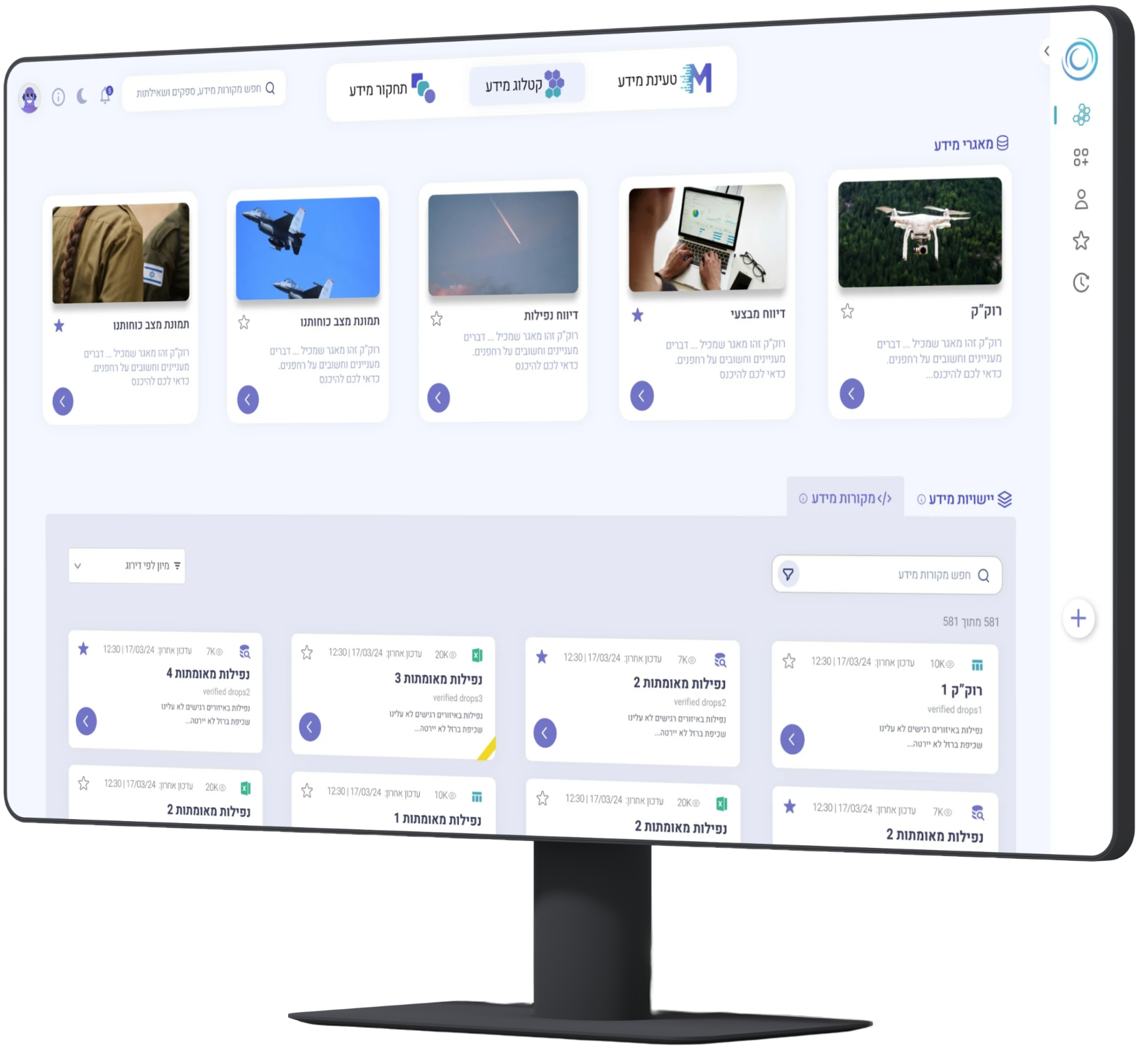
A Re:design of Cargo, a core military operational system serving hundreds of thousands. Transformed a cluttered interface into a high-performance tool that minimizes cognitive load for rapid, precise data management.
Role
UI Designer
Year
2025
Type
Re:design
Platform
Web

The original system suffered from cluttered interfaces, hidden features, and a lack of focus. For users operating under pressure, this created unnecessary friction, slowing down critical daily tasks and increasing the chance of error. Every session felt like a battle against the interface rather than the work itself.
Cargo serves hundreds of thousands of operators daily. A Re:design could not start with new visuals. It had to start with evidence: where friction lived, what users ignored, and which patterns repeated across sessions under pressure.
Mapped homepage clutter, hidden actions, and inconsistent hierarchy against the most frequent operator workflows.
Reviewed findings with product and engineering to separate cosmetic complaints from mission-critical friction.
Built a search-first layout with annotated mockups so every removal and relocation had a documented rationale.
Presented before/after concepts for feedback. The after direction earned unanimous preference for clarity and orientation.
Before
After
Key improvements mapped directly onto the interface: clearer hierarchy, faster access to search and actions, and a layout that keeps focus on the content users manage every day.
By minimizing visual noise, users can focus purely on their tasks without distraction from competing UI elements.
A clean layout makes digesting complex operational details quick and intuitive at a glance.
A prominent, central search puts information right at the user's fingertips, eliminating hunt-and-click patterns.
Stable menus build familiarity, making it easy to move confidently through the system.
Bringing key actions out of hiding speeds up daily tasks and reduces the number of clicks to complete them.
Visible, accessible help tools reduce anxiety and empower users to solve problems independently.
More to love